Key Takeaways
- Most color laser printers use “yellow dots” (Machine Identification Codes) to encode the printer’s serial number and the exact time of printing on every page.
- Modern office printers often take “photographs” or digital snapshots of every document processed, storing them in a searchable database for administrators.
- This printer tracking technology has been used by the FBI to catch whistleblowers and government contractors by linking physical paper back to specific machines.
- Standard security measures like shredding paper or changing file names are often ineffective against the deep-level metadata embedded by modern print servers.
The Silent Witness in Your Office
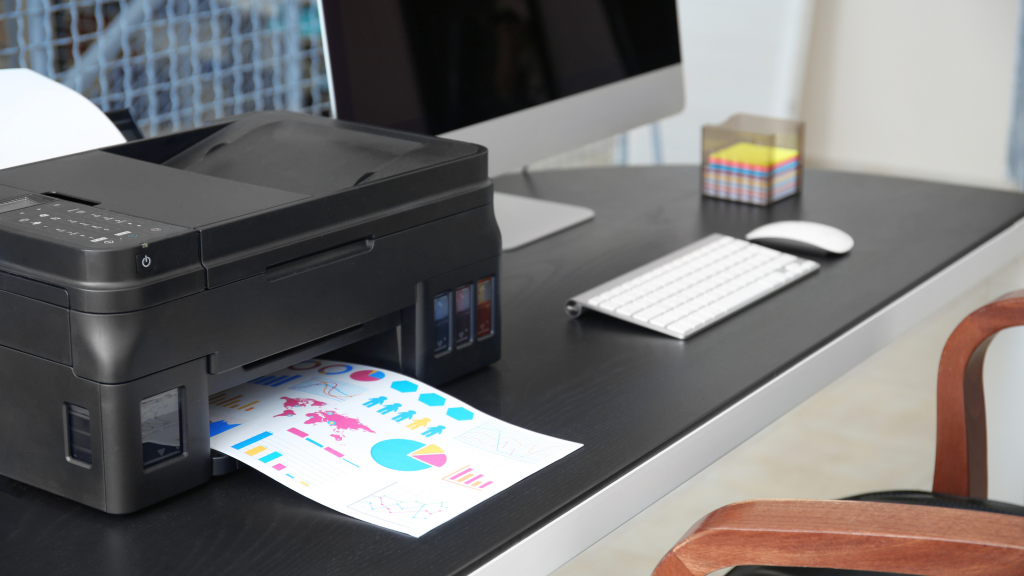
You walk into your office, send a document to print, and walk away. You likely think of your printer as a simple tool, like a stapler or a hole punch. However, the humble office printer has evolved. It is no longer just a peripheral device; it is a sophisticated surveillance hub. While you are waiting for your copies, the machine is busy creating a secret digital record. It logs who you are, what you printed, and exactly when the job happened.
This is the reality of printer tracking technology. For decades, this infrastructure has lived in the shadows. Most people assume that once a document is printed, the digital trail ends. In truth, the trail is just beginning. Every page leaving a color laser printer carries an invisible fingerprint that can be traced back to a specific room, on a specific day, at a specific second.
Why Printer Privacy Matters
In an era where we worry about our phones tracking our location or our smart speakers listening to our conversations, we often overlook the machine sitting in the corner of the room. Recent federal investigations have shown that the “paper trail” is more literal than we ever imagined. Understanding how your printer handles data is no longer just for IT experts; it is essential for anyone who values privacy and document security.
The Secret Life of Modern Printers
Beyond Paper and Ink: Printers as Data Hubs
Modern printers are essentially high-powered computers with toner. They have their own hard drives, processors, and operating systems. When you hit “print,” the file doesn’t just pass through the cable and onto the paper. It is processed, rendered, and often stored. This internal storage is meant to help with “print queues”—allowing multiple people to print at once—but it also creates a permanent record of the data.
How Digital Forensics Changed the Game
Digital forensics is the science of recovering data from electronic devices. Investigators now treat printers like “black boxes” in airplanes. By accessing the internal storage of a printer, forensic experts can see images of documents that were printed months or even years ago. This has turned the office printer into one of the most effective tools for corporate and government surveillance.
Case Study: The Aurelio Luis Perez-Lugones Investigation
The power of this technology was put on full display in January 2026. Federal prosecutors charged Aurelio Luis Perez-Lugones, a government contractor, with keeping classified national defense information. Perez-Lugones believed he could bypass digital security by taking screenshots of classified files and pasting them into a simple Word document named “Document1.”
He thought that by printing the screenshots, he was breaking the link to the original classified file. He was wrong. The FBI affidavit revealed that the workplace printer system was designed to “retrieve records of print activity.” The system didn’t just log the file name; it captured actual images of the printed pages. The printer acted as a witness, proving exactly what information had been taken.
The Invisible Trail: Understanding Printer Tracking Dots
What Are Machine Identification Codes (MIC)?
If you look at a page from a color laser printer under a magnifying glass, it might look clean. But it isn’t. Since the 1980s, a secret agreement between governments and printer manufacturers led to the creation of Machine Identification Codes (MIC). These are more commonly known as “yellow dots.”
The History of “Yellow Dots” Since the 1980s
This technology was originally developed to fight a specific crime: counterfeiting. As color printers became more advanced, governments feared that criminals would use them to print fake money. To stop this, manufacturers like Xerox, HP, Canon, and Brother began programming their machines to add tiny, nearly invisible marks to every page.
Why Manufacturers Use Them
While the official reason is to prevent the forging of currency, the technology is used for much more today. It allows law enforcement to track any document back to the specific machine that produced it. This turns every color printer into a tracking device that leaves a unique signature on everything it touches.
The Science Behind the Scrutiny
The dots are incredibly small—usually less than a tenth of a millimeter in diameter. They are yellow because yellow is the hardest color for the human eye to see against white paper.
How Microscopic Dots Encode Serial Numbers and Timestamps
The dots are not random. They are arranged in a precise grid or pattern. By analyzing the position of these dots, experts can decode a binary string. This string contains the printer’s serial number and the date and time the document was printed. This pattern often repeats up to 150 times across a single sheet of A4 paper. This means that even if you shred the document or only have a small scrap of it, the code can still be read.
How to See the Invisible: The Blue Light Test
You can actually see these dots yourself. Because they are yellow, they absorb blue light. If you shine a high-intensity blue LED light onto a page printed from a color laser printer, the yellow dots will appear as small black specks. Organizations like the Electronic Frontier Foundation (EFF) have spent years documenting these patterns to warn the public about this hidden printer tracking technology.
Essential Reading: The Shocking Truth About Smart Home Spying
Workplace Surveillance and Print Archiving
How Employers Monitor Your Print Jobs
In a professional setting, the tracking goes far beyond yellow dots. Most large companies use print management software like PaperCut or Equitrac. These programs are designed to save money and reduce paper waste, but they also have powerful surveillance features.
The “Print Archive” Feature: Generating Secret Images of Every Page
One of the most potent tools in these programs is the “Print Archive” feature. When this is turned on, the software creates a “clandestine copy” of every single file sent to the printer. It doesn’t just store the text; it generates a high-resolution image of the page.
If an employee prints a resume to apply for a new job, or a whistleblower prints a memo about company misconduct, the administrator can see a perfect picture of that document in the system logs. The user is never notified that a copy is being saved.
The Role of Metadata in Office Printing
Every time you print, a packet of data called metadata is created. This is “data about the data.”
- User ID: Exactly who was logged into the computer.
- Timestamp: The exact second the print job started.
- File Path: Where the file was stored on the computer (e.g., C:/Users/Private/Secret_File.docx).
- Printer ID: Which specific machine in the building was used.
This information is stored on the company’s print servers, creating a permanent digital paper trail that is almost impossible to erase.
Famous Whistleblowers and Printer Tracking Technology
The most famous example of this technology in action is the case of Reality Winner. In 2017, Winner, an NSA contractor, leaked a classified report about foreign interference in elections to a news outlet.
The news outlet posted images of the leaked documents online. Within hours, the FBI had identified the printer. They used the invisible yellow dots on the scanned images of the documents to find the serial number of the printer used. They then checked the internal logs of that printer to see who had accessed it at the time the document was printed. This led them straight to Reality Winner.
This case served as a wake-up call. It proved that even if you are careful about how you handle digital files, the physical paper itself can “snitch” on you.
The Legal and Ethical Debate
The use of printer tracking technology raises difficult questions. Companies argue they have a right to monitor their own equipment to prevent the theft of trade secrets. On the other hand, employees often feel that “photographing” every document they print is an invasion of privacy.
Stay Ahead: Upgrade Your Passwords: Your First Line of Defense Against Hackers
The Future of Printer Forensic Technology
As we move further into 2026 and beyond, printer tracking will only get smarter. We are already seeing the introduction of AI-driven document analysis. This allows software to automatically scan printed documents for specific keywords or sensitive patterns and alert management in real-time.
Furthermore, new standards in steganography (the art of hiding information within other information) are making tracking even harder to detect. Instead of yellow dots, future printers may use tiny variations in the shapes of letters or the spacing between words to encode data.
Conclusion
Your printer is a witness. Whether it is through the microscopic yellow dots on a page or the clandestine copies saved on a corporate server, the “paper trail” is more robust than ever. The case of Aurelio Luis Perez-Lugones reminds us that technology we consider “dumb” or “simple” is often the most effective at tracking our actions.
Next time you hit “print,” remember that you aren’t just making a copy. You are leaving a digital fingerprint. In the modern world, the only way to ensure a document stays private is to understand the technology used to create it.
Frequently Asked Questions (FAQ)
Do all printers have tracking dots?
No. Most color laser printers have them, but many black-and-white (monochrome) laser printers and most home inkjet printers do not.
Can I disable printer tracking technology?
For the average user, no. The tracking dots are hard-coded into the printer’s firmware. In a workplace, print archiving is controlled by the IT department and cannot be turned off by employees.
Does my home printer track me like my work printer?
Usually, no. Home printers rarely have the “print archive” software used in offices. However, if it is a color laser printer, it still likely uses invisible yellow dots on every page.
Is printer tracking legal in the United States?
Yes. There are currently no laws prohibiting manufacturers from using MIC dots, and companies have broad legal rights to monitor activity on their own computer networks and equipment.
References
- The Intercept – FBI’s Washington Post Investigation Shows How Your Printer Can Snitch on You (January 2026) https://theintercept.com/2026/01/21/fbi-washington-post-perez-lugones-natansan-classified/
- Wikipedia – Printer tracking dots https://en.wikipedia.org/wiki/Printer_tracking_dots
- Electronic Frontier Foundation – List of Printers Which Do or Do Not Display Tracking Dots https://www.eff.org/pages/list-printers-which-do-or-do-not-display-tracking-dots
- CBS News – NSA’s alleged leaker got tripped up by a secret printer feature (June 2017) https://www.cbsnews.com/news/nsa-leaker-reality-winner-secret-printer/