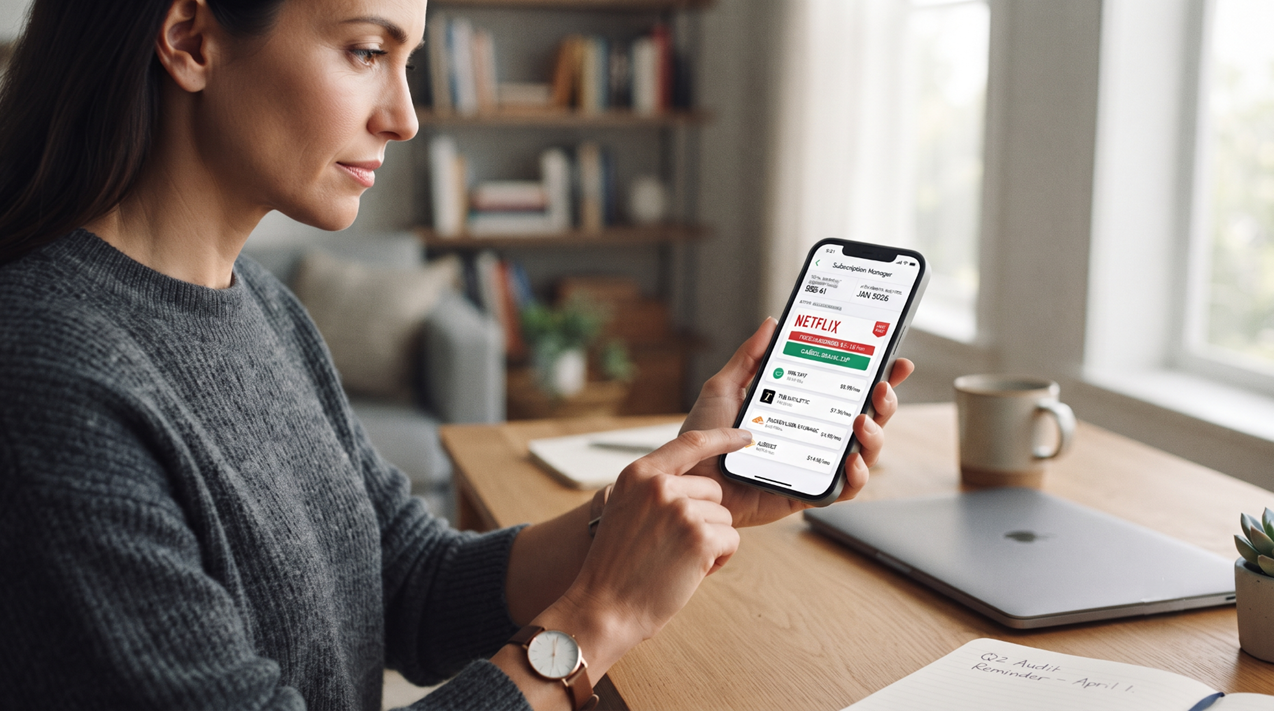
Open your banking app today and you might see something new: a little badge next to Netflix that says “price increased” or a button that says “cancel in one tap.” Subscription management features like these are showing up inside banking apps and fintech tools everywhere in 2026. They promise to end the days of forgotten $9.99 charges quietly draining your account. And for the most part, they deliver. But there’s a catch nobody talks about enough. The easier it becomes to manage a subscription, the easier it becomes to just… keep it. This article breaks down how these tools work, why they save money, and why they might also be training you to stay loyal to services you’d otherwise cancel.
Key Takeaways
- Banking and fintech apps now auto-detect recurring subscriptions using AI pattern recognition on your transactions.
- Price-increase alerts catch “stealth” hikes before they quietly add up over months.
- One-tap cancel features remove the friction that used to stop people from canceling unwanted services.
- Easier management can backfire, making people keep subscriptions they’d cancel if managing them felt harder.
- A quarterly audit plus price-comparison tools is the simplest way to get the savings without the lock-in.
What Is Smart Subscription Management?
Smart subscription management is a feature set built into banking apps and personal finance tools that automatically finds, tracks, and helps you act on your recurring payments. In simple terms, it’s software that watches your spending and taps you on the shoulder when something looks like a subscription.
Key Characteristics
- Automatic detection — the app scans your transaction history for charges that repeat on a regular schedule, like every month or every year.
- Price-change alerts — you get notified the moment a subscription’s cost goes up, even by a dollar or two.
- One-tap actions — buttons that let you cancel or downgrade a service without hunting through a company’s website.
Why It Matters
Subscription creep — the slow, invisible buildup of recurring charges — has become one of the biggest hidden drains on household budgets. Research on U.S. spending habits has found that people badly underestimate what they actually pay for subscriptions each month, sometimes by more than double. That gap between what people think they spend and what they actually spend is exactly what these new tools are built to close.
How Do These Tools Actually Work?
Most subscription management features work by linking to your bank or credit card accounts through a secure connection, then running your transaction history through an algorithm trained to spot patterns.
The Detection Process
- Connect accounts — you link your checking account, credit cards, or both.
- Scan transactions — the app looks for charges from the same merchant at regular intervals.
- Flag recurring charges — anything that repeats gets labeled as a subscription and added to a dashboard.
- Monitor for changes — the app keeps watching that charge, so if the amount changes, you’re alerted right away.
- Offer an action — depending on the app, you might see options to pause, cancel, or even have the company negotiate a lower rate for you.
Real-World Examples
Several well-known finance apps already build this directly into their dashboards. Some automatically detect subscriptions and present them in a simple list or calendar view, flagging anything that looks unused. Others go a step further, sending you an alert the moment a familiar charge — say, a streaming subscription — jumps in price, and offering a cancellation button right next to the alert.
Related: Your Subscriptions Are Designed to Trap You—Here’s How They Do It
The Hidden Trade-Off: Convenience Can Increase Lock-In
Here’s where things get interesting. The whole point of subscription management tools is to make canceling easier. So why would that ever be a bad thing?
Why Easier Management Can Mean You Keep Paying Longer
Think of it like a messy garage. As long as cleaning it out feels like a huge chore, you avoid it — but the mess also bothers you enough that you eventually deal with it. Now imagine someone hands you a magic robot that tidies the garage every week without you lifting a finger. The mess never bothers you anymore. You stop thinking about what’s actually in there.
Subscription management apps can work the same way. When a dashboard neatly organizes every charge and quietly absorbs small price increases into your monthly total, the friction that used to force a decision — “wait, why am I still paying for this?” — disappears. The tool solves the visibility problem so well that it removes the discomfort that used to trigger cancellation.
The Psychology of “Ongoing Value”
People are less likely to pause or cancel a service as long as it feels like it’s still delivering some value, even a small amount. When an app handles the tracking, the renewal, and the price bump automatically, a subscription can slide from “active choice” to “background habit” without you ever consciously deciding to keep it. That’s a subtle form of vendor lock-in — being tied to a service not because you chose to stay, but because leaving never came up as a decision to make.
Benefits and Challenges
Key Benefits
- Less bill creep — price hikes get caught early instead of compounding silently for months.
- Time saved — no more digging through statements to find forgotten charges.
- Better visibility — a single dashboard shows every recurring payment in one place.
- Lower friction to cancel — genuinely useful when you do decide something isn’t worth it anymore.
Major Challenges
- Increased stickiness — the same smooth experience that saves you money can also quietly keep you subscribed.
- Data access trade-offs — most of these tools need to connect to your bank accounts to work, which means sharing financial data with a third party.
- Cancellation fees — some apps that cancel subscriptions on your behalf take a cut of any savings they negotiate for you.
- False sense of control — seeing a tidy dashboard can feel like “handling it,” even if you never actually review what’s on it.
Related: If It’s Free, You Are The Product
How to Stay in Control: A Quarterly Subscription Audit
The fix isn’t to avoid these tools — it’s to make sure you’re still the one making the decisions, not the dashboard.
A Simple Quarterly Audit
- Set a recurring reminder every three months to open your subscription dashboard and actually read it, not just glance at it.
- Ask one question per subscription: “Did I use this in the last 30 days?” If the answer is no, that’s a signal to pause or cancel.
- Check for price increases since your last audit, even small ones — they add up fast across multiple services.
- Look for duplicate coverage, like two streaming apps with overlapping content, or two cloud storage plans you don’t need both of.
Use Price-Comparison Tools
Before renewing anything automatically, it’s worth checking whether a cheaper plan or a competing service offers the same thing. Price-comparison tools and simple web searches can quickly show whether you’re paying more than a new customer would for the exact same service — a gap that’s common once “loyalty pricing” quietly creeps in over time.
Conclusion
Smart subscription management tools genuinely help. They catch price creep, save time, and make canceling easier when you truly want to. But that same convenience can make it easier to stay subscribed to things you no longer need, simply because the friction that used to prompt a decision is gone. The fix is simple: let the app do the tracking, but put a quarterly audit on your own calendar so you — not the dashboard — decide what stays and what goes.
Frequently Asked Questions
How do banking apps detect my subscriptions automatically?
They scan your transaction history for charges from the same merchant that repeat at regular intervals, like monthly or yearly, and flag them as recurring.
Are subscription management apps safe to connect to my bank account?
Most reputable apps use bank-level encryption and secure aggregators, but you should always review each app’s privacy policy before linking accounts.
Can these apps actually save me money?
Yes, especially if you have forgotten or unused subscriptions — even a few unused $10-15 monthly charges can add up to hundreds of dollars a year.
Do I still need to manually check my subscriptions if I use one of these apps?
Yes. A quarterly manual review helps you catch what an automated dashboard can make easy to ignore, like services you no longer use but haven’t consciously decided to cancel.